01Today
Start with today.
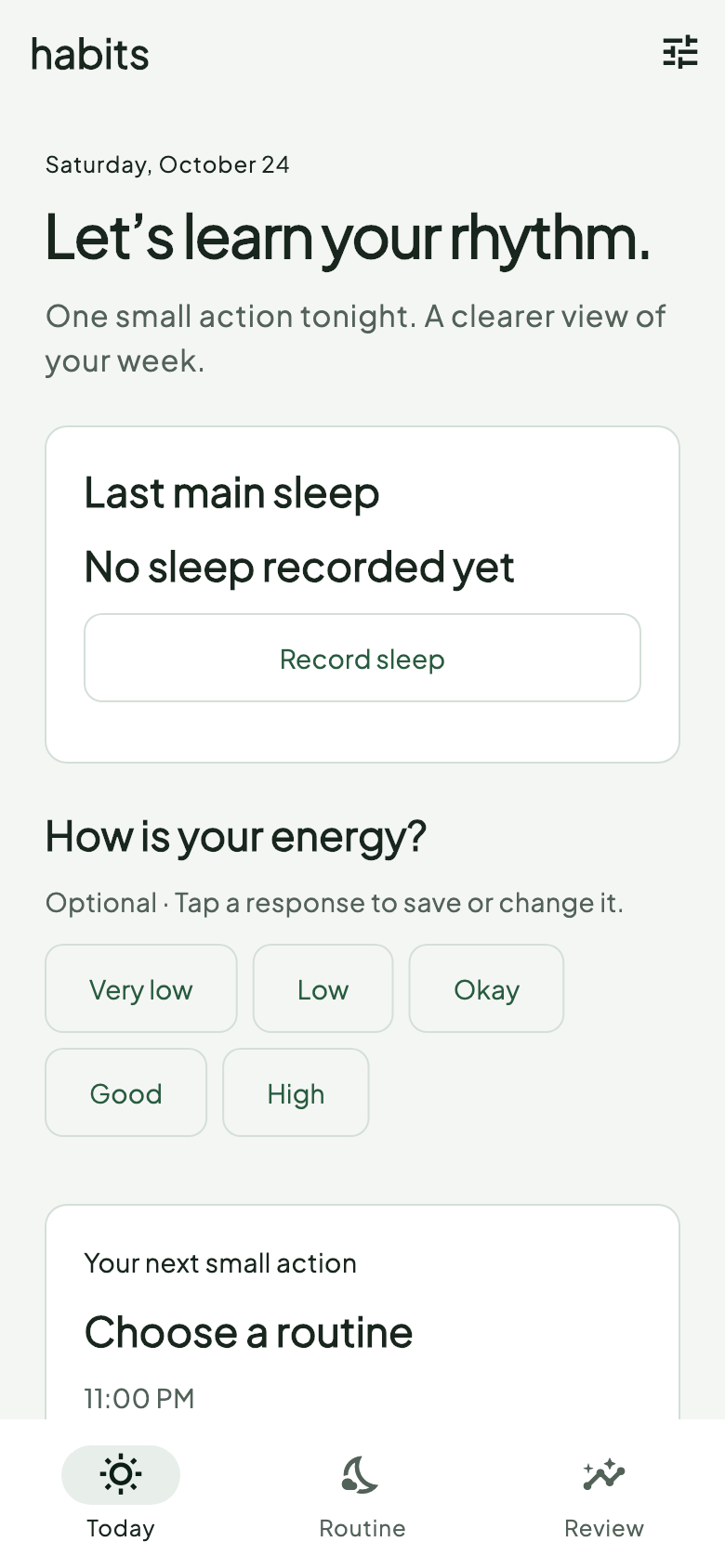
Record your main sleep and check in with your energy. A clear starting point, even when you only have a little history.
SLEEP · ENERGY · ROUTINES
Notice your energy. Keep a record of your sleep. Build a routine that fits your day, without turning your life into another score.
Made for Android. Built around you.
The focused sleep and energy update is rolling out through Google Play. Availability can vary while the release is reviewed.
Your rhythm, not a score.
A little room for real life.
Manual sleep entry always available
Optional routine reminders
Medicine reminders stay available
THE EVERYDAY EXPERIENCE
A simple loop: notice how you feel, choose one routine, and reflect on what you recorded.
Record your main sleep and check in with your energy. A clear starting point, even when you only have a little history.
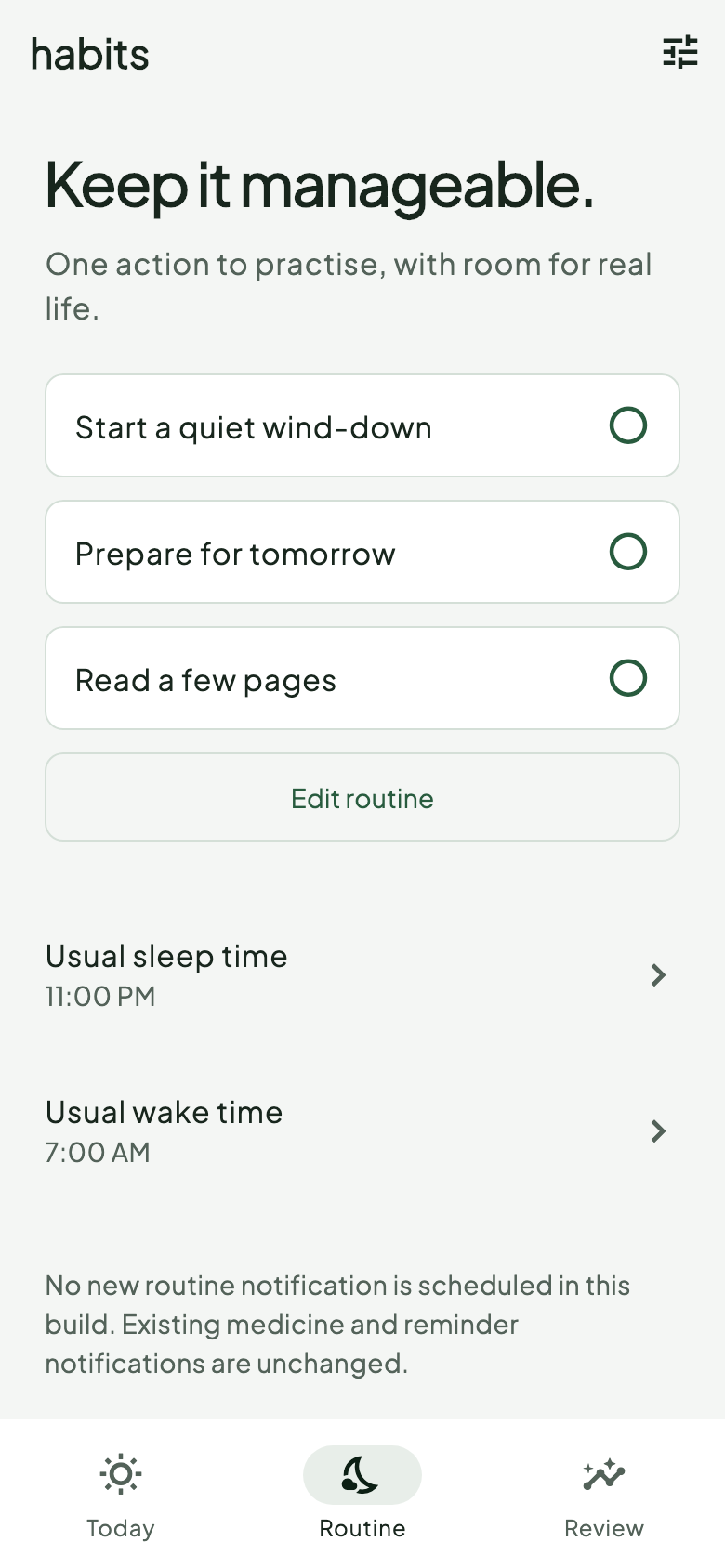
Choose a small action, set a reminder if it helps, and keep quiet hours quiet. Complete, pause or adjust your routine as life changes.
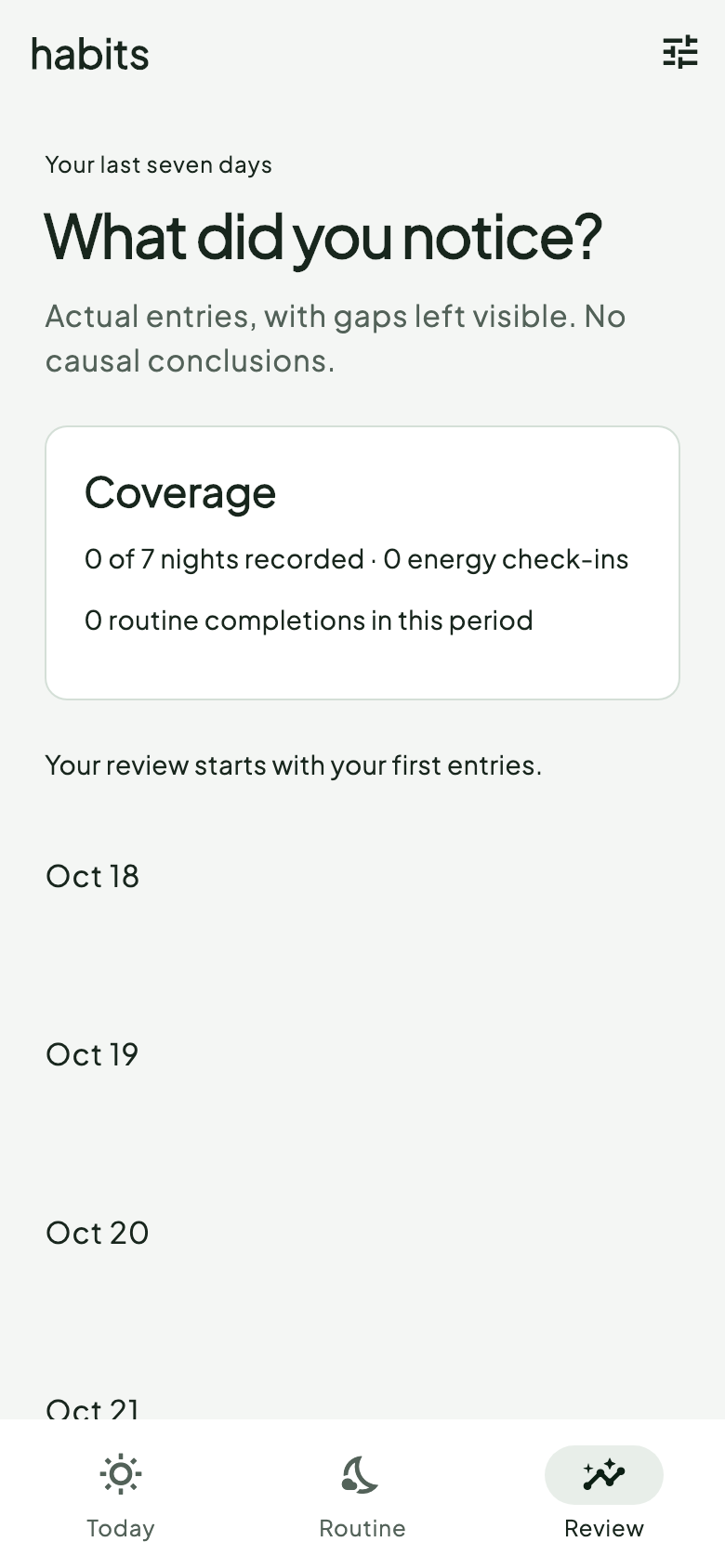
Review your recorded week and choose what to keep, adjust or stop. Missing entries stay missing; your history is not a recovery score.
A GENTLE START
A few thoughtful choices at the start. Preferences you can return to as your days change.
Start with steadier energy or more consistent sleep. Tell Habits what your schedule usually looks like.
Record sleep yourself, or optionally connect a supported Health Connect sleep source on Android 14 and later.
Choose a routine and decide whether you want a reminder. Permissions are requested when you choose the feature.
No. You can enter sleep and energy yourself. Optional Health Connect sleep import requires Android 14 or later, permission, and an app or device that writes compatible sleep records.
Existing medicine reminders remain available through the previous tools. The focused sleep and energy experience does not replace your medicine schedule.
Routine reminders respect the quiet hours you set. Android notification permission and power management affect delivery, so reminders may be delayed.
The companion focuses on routine completion, energy check-ins and sleep views. Medicine reminders remain separate. Confirmation sync needs the phone app open; delivery depends on pairing and connectivity.
No. Habits helps you record and reflect. It does not diagnose conditions, prescribe sleep or calculate a clinically validated recovery score.
HABITS FOR ANDROID
For personal awareness and reflection. Not medical advice.